Guide
Create a goal
Set weekly, monthly, or quarterly targets for any rep, synced straight to Pipedrive.
Step 1
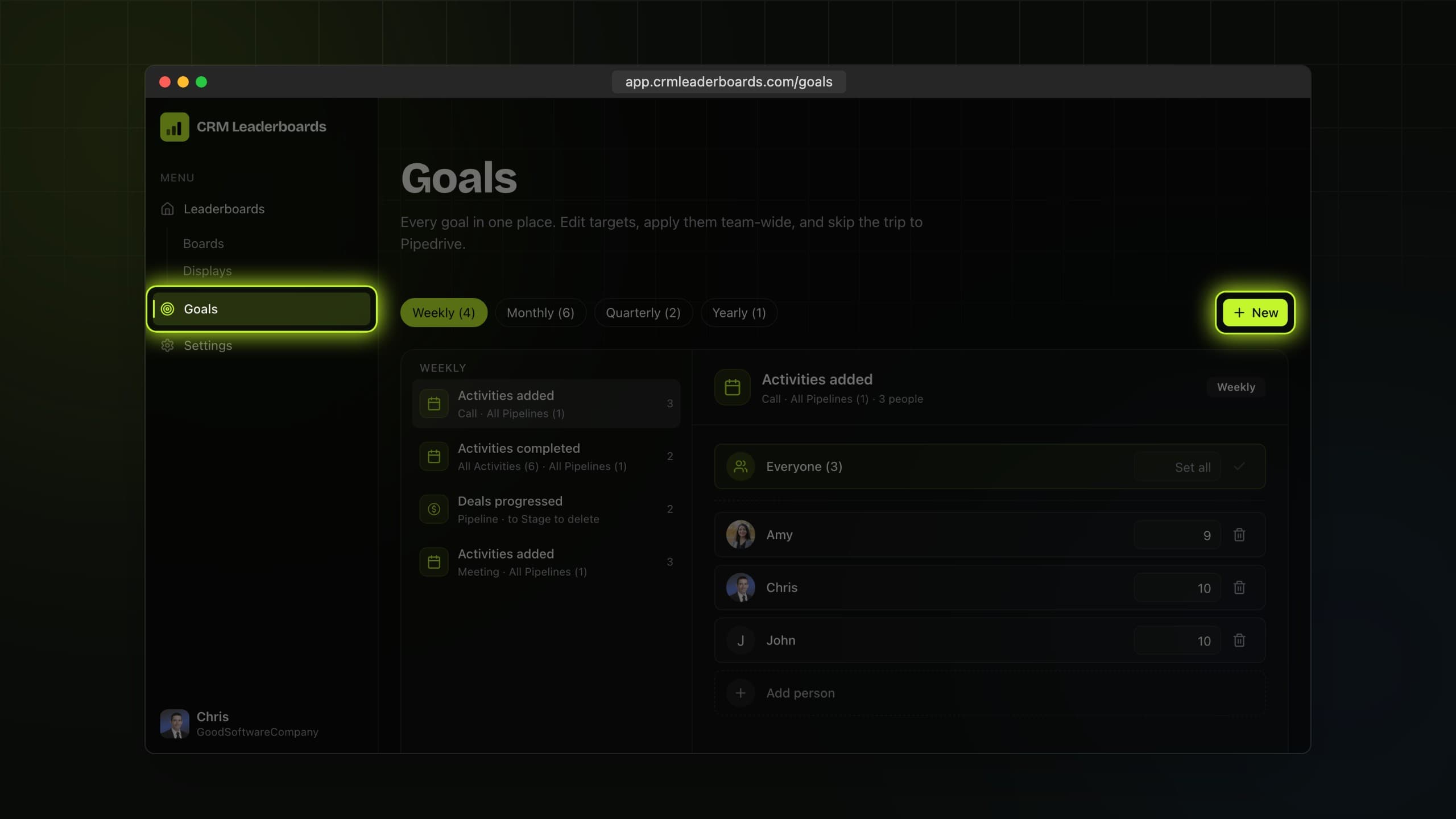
Open the team goals wizard
Open Goals in the sidebar and choose Create team goals.
Step 2
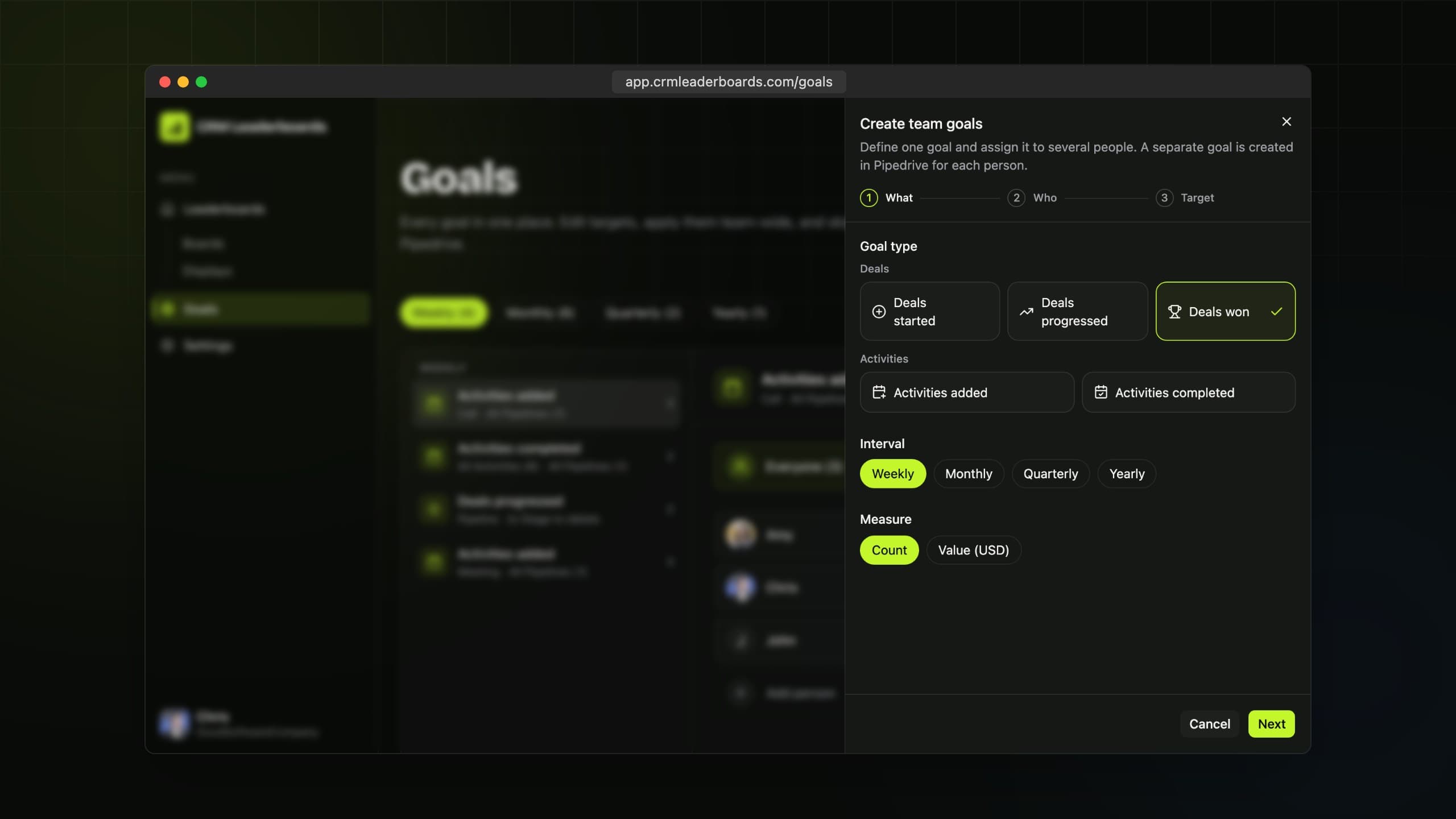
Pick what counts
Choose what to track: deals won, activities logged, or revenue closed. Set the interval the goal runs on.
Step 3
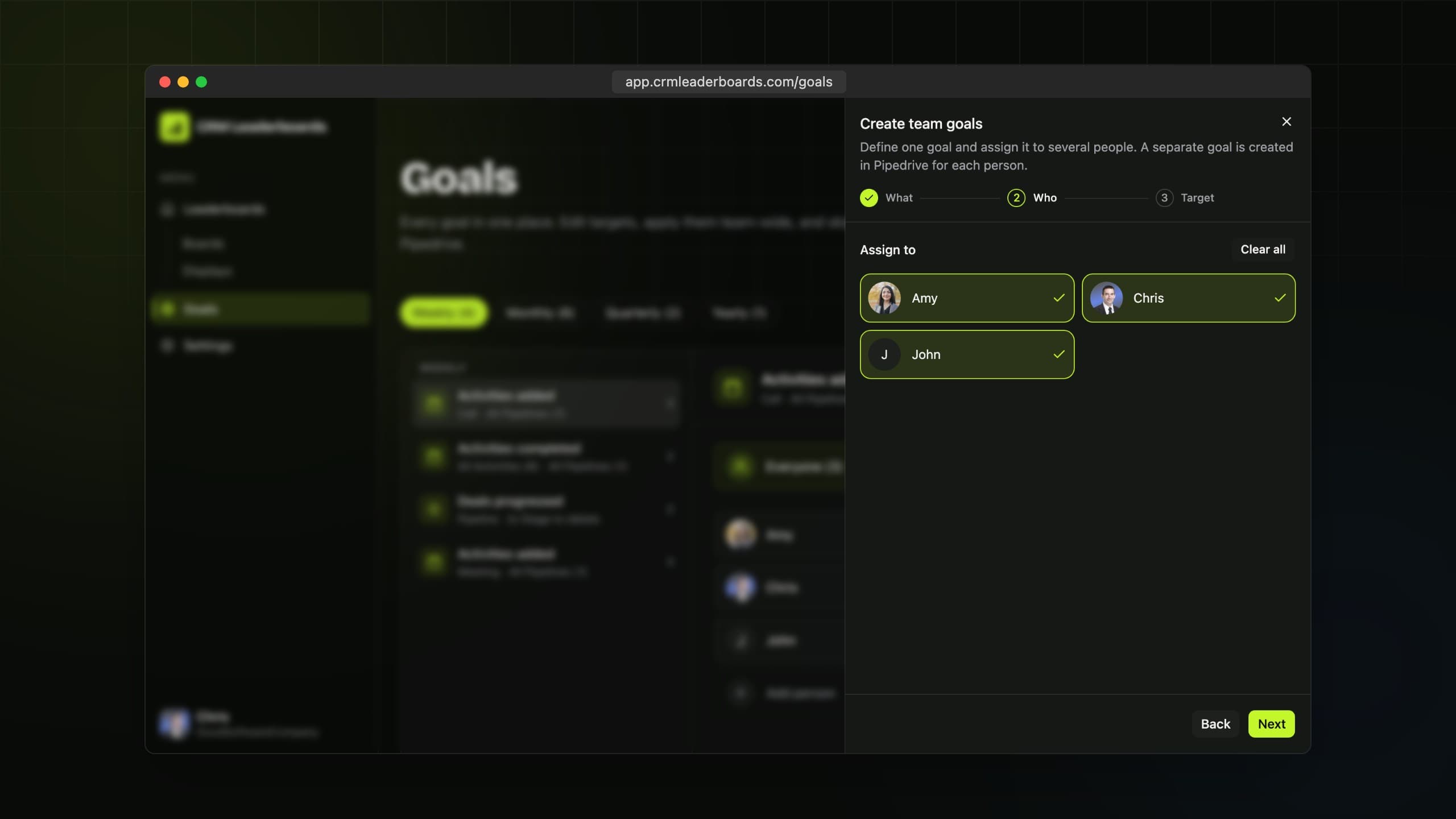
Choose who's in
Select the reps the goal applies to. A separate goal is created in Pipedrive for each person.
Step 4
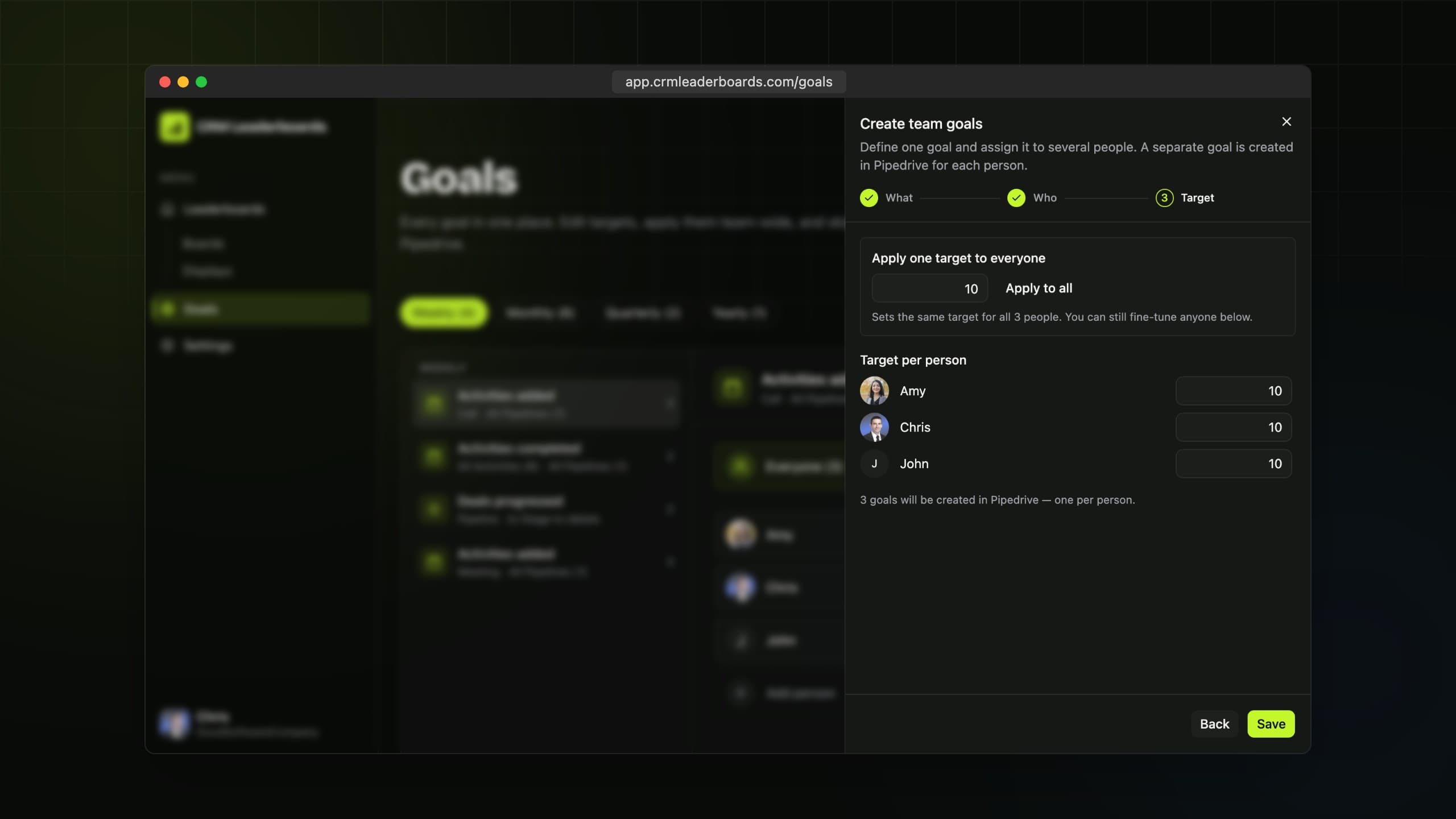
Set the target
Apply one target to everyone or fine-tune per rep, then save. Progress starts tracking immediately.
Still need
a hand?
Start a live chat with the team. We usually reply within a few minutes.