Guide
Create a leaderboard
Turn goals into a live board the whole floor can read.
Step 1
Start a new board
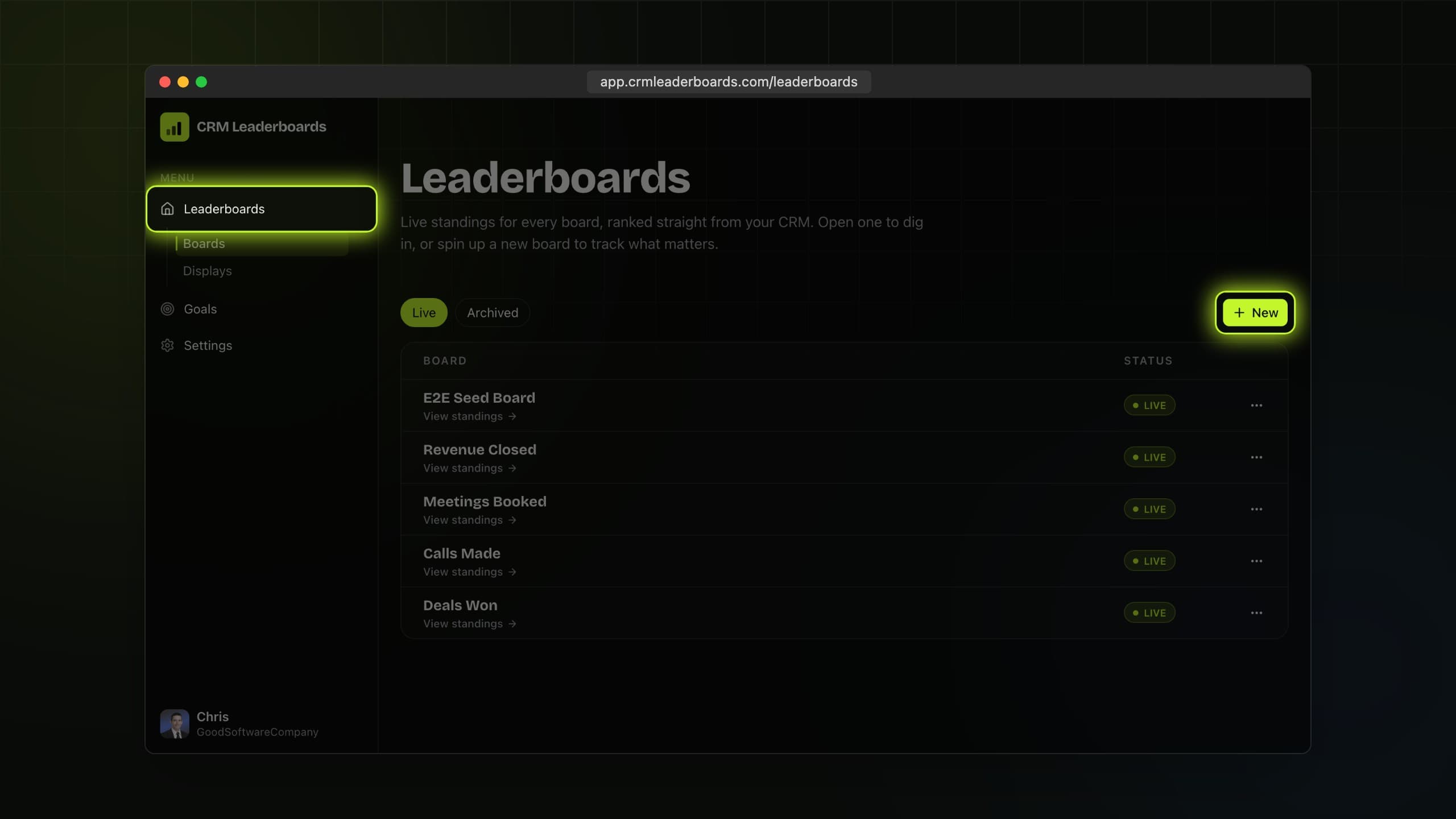
Open Leaderboards and choose New leaderboard.
Step 2
Name and style it
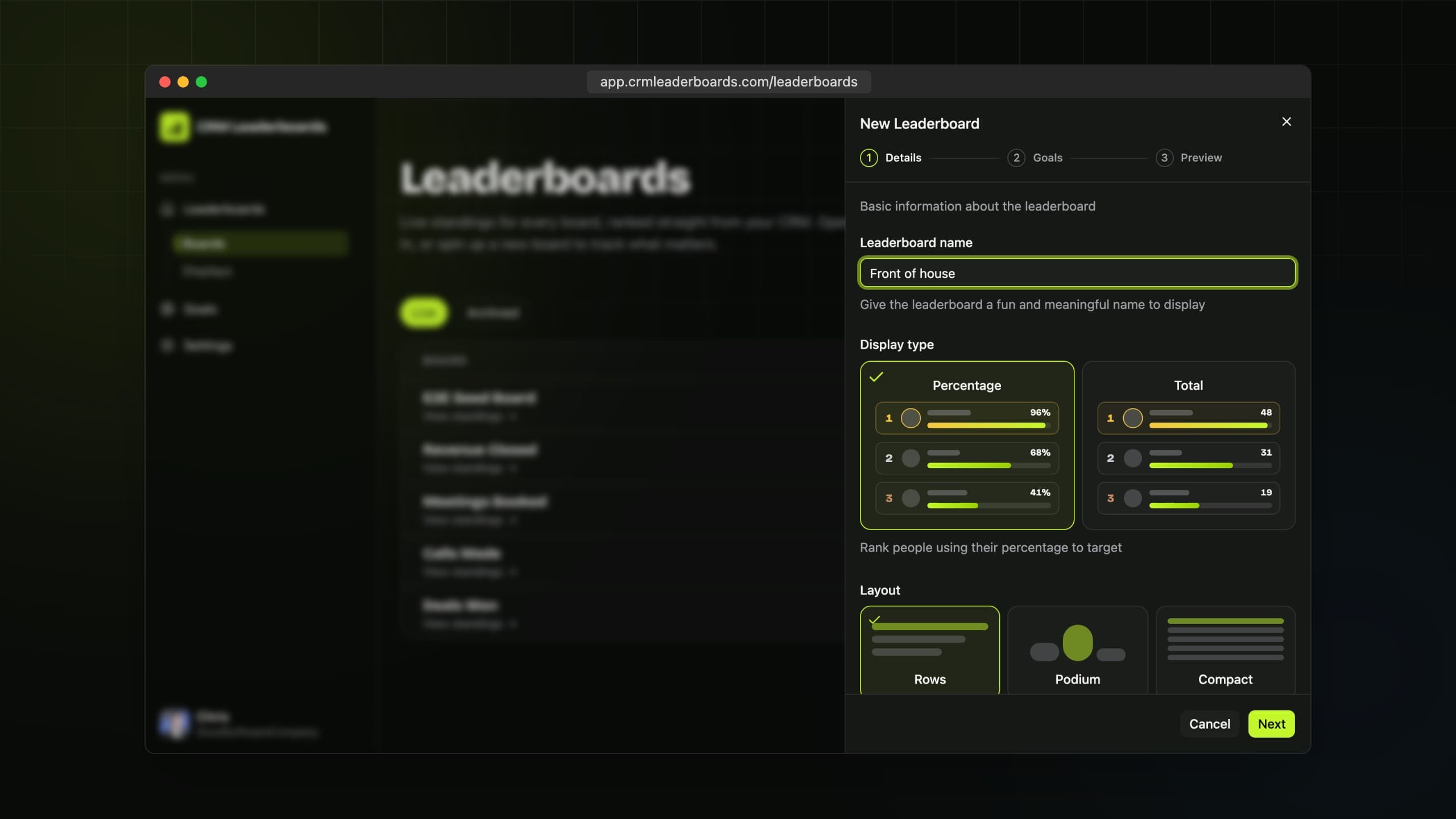
Give the board a name, then pick a display type and a layout: rows, podium, grid, race, and more.
Step 3
Pick the goals
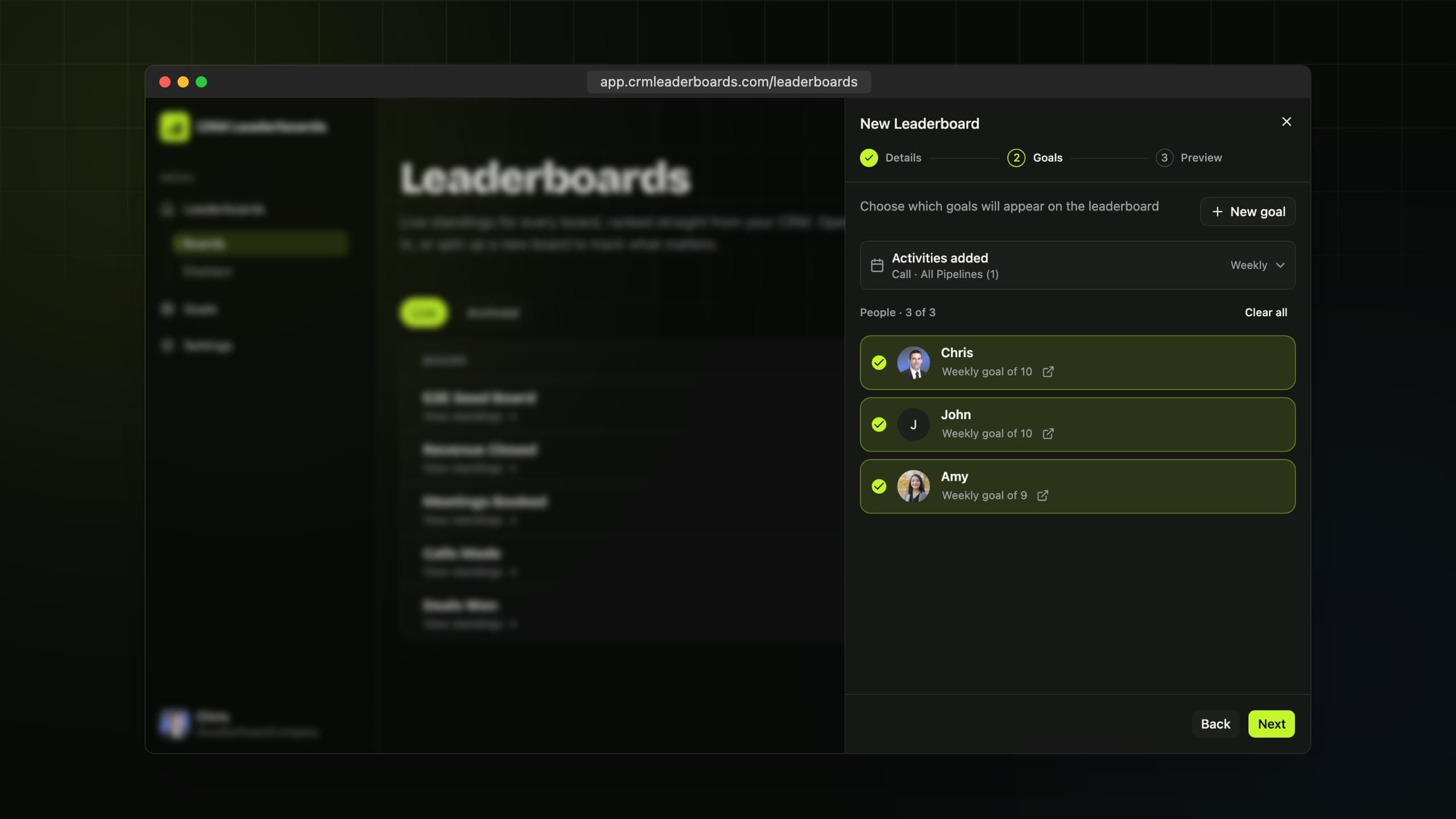
Choose the interval, the goals that feed the board, and who appears on it.
Step 4
Preview and create
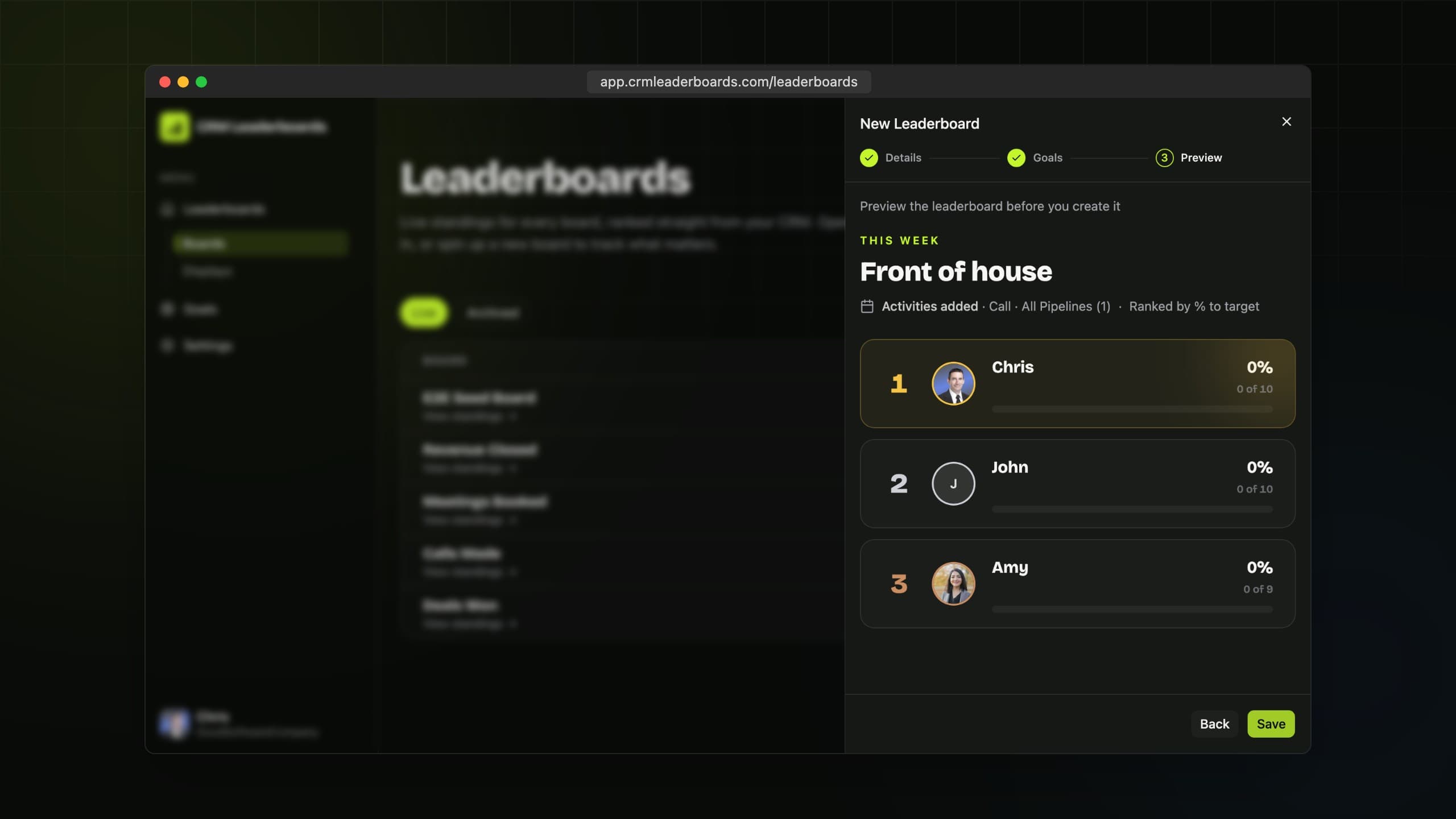
Check the preview and create the board. Standings update live from Pipedrive.
Still need
a hand?
Start a live chat with the team. We usually reply within a few minutes.