Guide
Create a public display
Put live standings on a TV or share them with a link. No sign-in needed to watch.
Step 1
Create a display
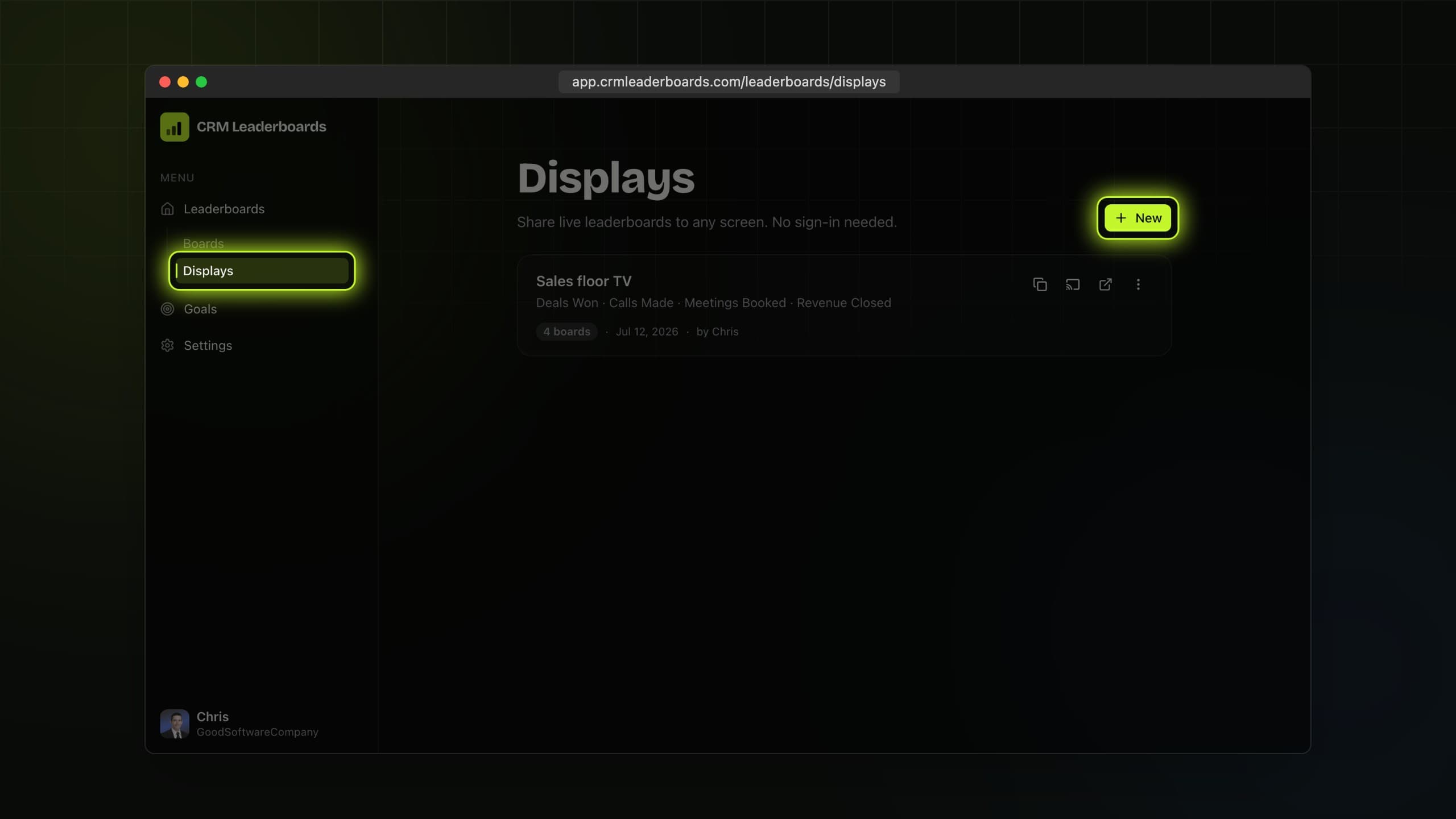
Open Displays under Leaderboards and choose New display.
Step 2
Pick the boards
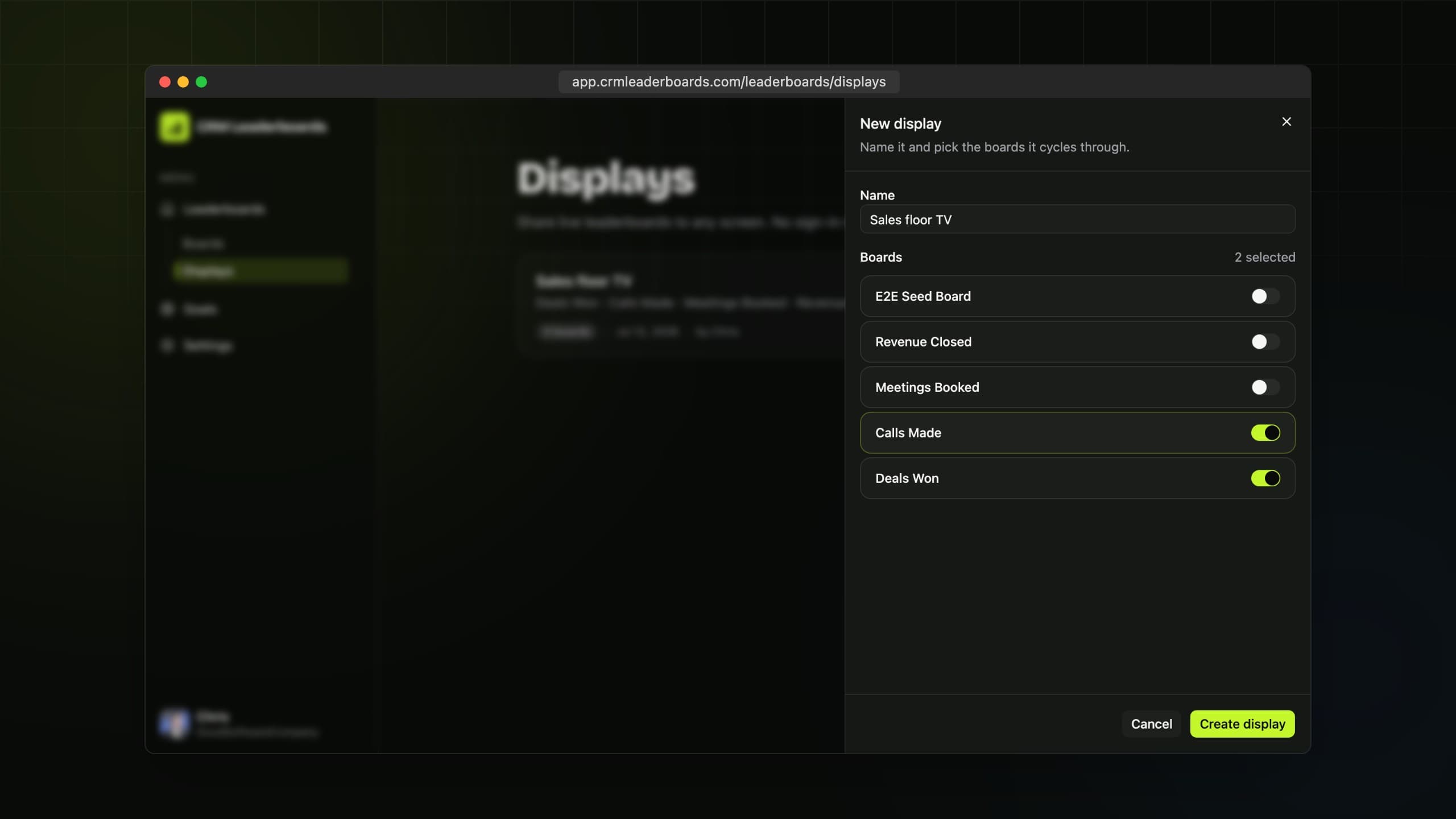
Name the display and pick the boards it cycles through.
Step 3
Share the link
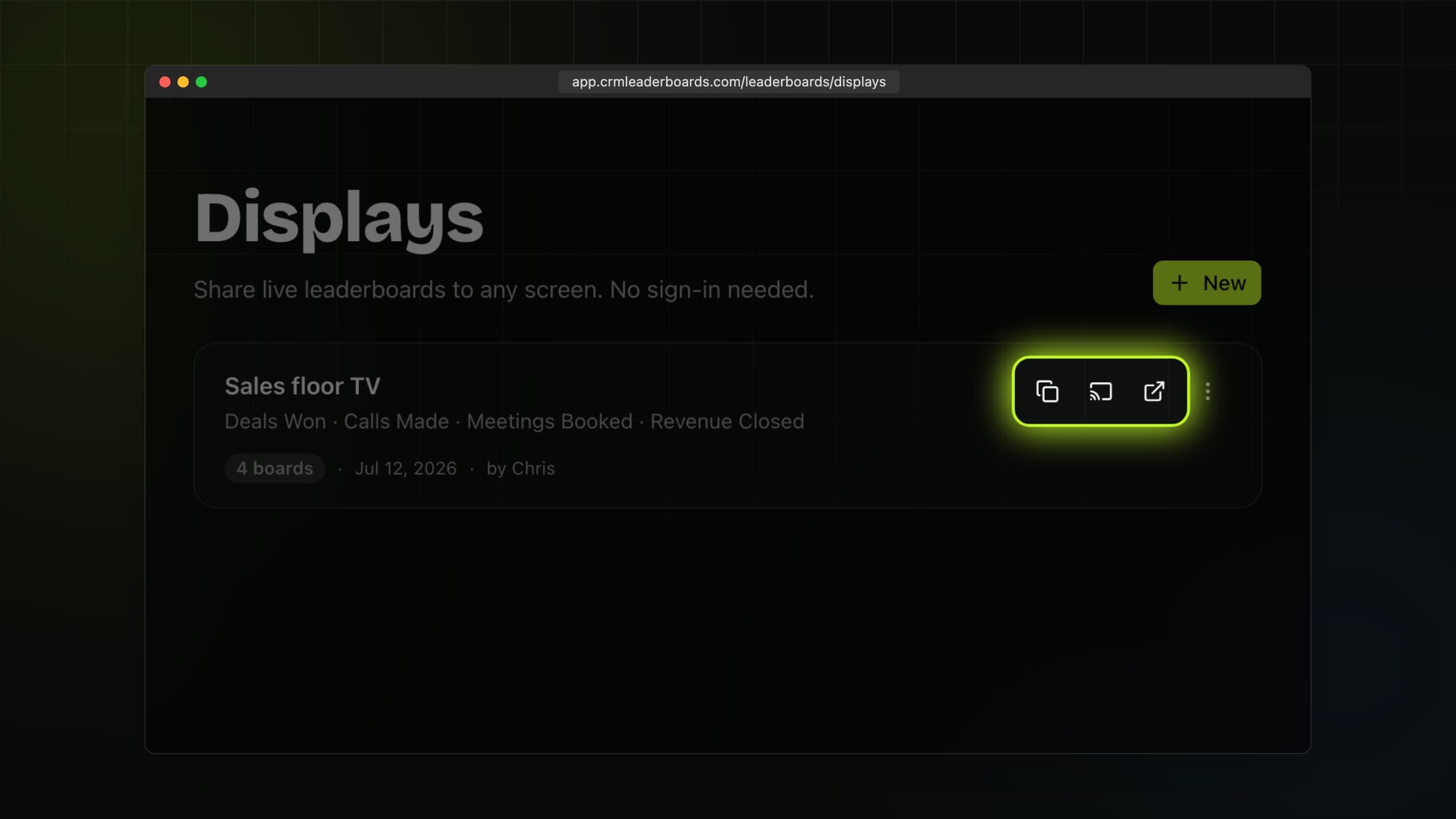
Copy the public link or scan the QR code straight from the TV. Viewers never need an account.
Step 4
Put it on the wall
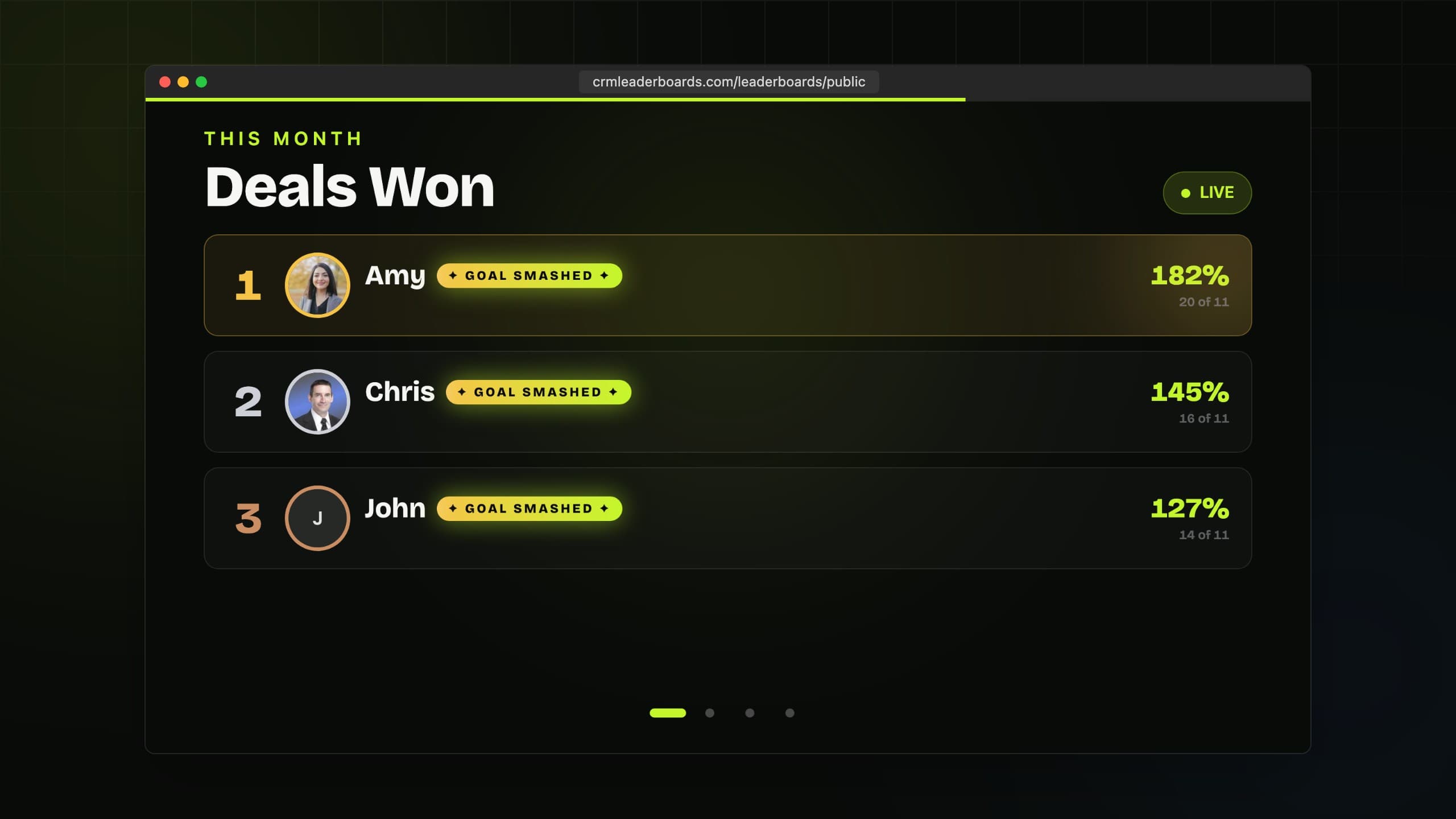
Cast it full screen and let it run. Reset the link anytime to cut off access.
Still need
a hand?
Start a live chat with the team. We usually reply within a few minutes.